Follower's

Your System

IP
Tampilkan postingan dengan label Android Apps. Tampilkan semua postingan

Camera JB+ 3.0 | Free Android Apps


Cover art

Download

Camera JB+ is the ultimate camera & gallery app based on the latest version of Android Jelly Bean (Android 4.3).
It also includes a complete photo editor that lets you retouch the pictures in a very simple way.
★ BestAppEver Awards 2013 - Winner: Best Android Photography App ★
--- FEATURES ---
● CAMERA:
- 3 modes: camera, video recorder & panorama
- Silent mode (no shutter sound, might not work on some devices)
- Live FX photos: 12 effects (only Android 4.1+)
- Pinch to zoom
- Configurable volume keys
- Wide screen pictures
- Picture quality setting (low/medium/high/ultra)
- Configurable storage source (Internal/SD card)
- Countdown Timer
- Burst mode
- Guidelines
- Full brightness option
- Video/Audio quality configurable
- More cool features soon ...
● GALLERY:
- Ultra fast photos & videos viewer
- Configurable thumbnail size
- Grid view/Filmstrip view
- Hide unwanted folders
- Show/hide status bar
- Slideshow mode
- Trim videos
● PHOTO EDITOR:
- High quality photo editing
- New filters and borders

--- FAQ ---
● How can I view the latest photos/videos taken?
Slide the viewfinder from right to left to quickly access the gallery/filmstrip view. You can quickly delete photos you do not like by dragging the unwanted picture up or down.
● Where can I change the camera settings?
You can access this mode by pressing the button on the bottom right or also with a long press on the camera viewfinder
● Why have you taken so long to upgrade to last Jelly Bean 4.3 camera version?
This new version has been completely redesigned from the previous version. We have worked hard to ensure compatibility with most Android devices.
● Why is not Photo Sphere included within the app?
Unfortunately this part of the code is not open source and can not be included within the application.
● I'm not happy with the app and I want a refund.
Please, send us an email to moblynx.us@gmail.com with the order number and we will refund you the money. No problem.
● Will you continue to work on improving the app?
Of course, we are working hard to add new features and improve compatibility.

--- THANKS ---
● Thanks to everyone who buys our applications. Your purchase helps us to keep working hard on this project. Please contact us at moblynx.us@gmail.com if you have any issue. We are delighted to receive any feedback.
● Thanks to Google for releasing the Android open source project. Without their great contribution to the developer community our work would not be possible.

GrooVe IP - Free Calls 1.3.11 | Free Android Apps


Download


 Voice without Minutes!
GrooVe IP is an android app that connects to Google Voice using Voice over IP (VoIP). What this means for you is you can make free unlimited calls to any phone in the US or Canada without using your voice minutes. GrooVe IP works on any android device, phone or tablet, and allows you to make calls using the device’s data (WiFi or mobile data) connection. If you have a smartphone with Wi-Fi connectivity but no mobile plan, you can use this app to convert it to a free, full-featured working phone.
This app has a separate dialer that can be used to make calls. Alternatively, the native dialer, call-log, contacts, and favorite functionality can be shared between the phone and app on a call-by-call basis.
** NOTE ** Please ensure that your Google Voice account is associated with either a gmail or google apps account.
** NOTE ** To receive incoming calls you MUST go into your Google Voice account and forward calls to Google Chat.
** NOTE ** GrooVe IP uses 1.2 MB per minute during a call
For requirements, setup details, answers to frequently asked questions, known issues, or more information, please visit http://snrblabs.com/snrb/grooveIp.aspx
If you have any questions, feature requests, or run into any problems please contact us! We cannot help you if you only leave a comment. We have a 24 hour refund period! If you would like a refund please send us your order receipt and a description of why you want a refund. If you are having trouble with the app and contact us within 24 hours we will extend the refund period while we help troubleshoot!
*** FINE PRINT ***
- Google Voice℠ services are provided by Google, Inc. SNRB LABS, LLC is NOT affiliated with Google, Inc.
- Google Voice℠ is a call enhancement service which will not route emergency (911) calls.
- All calls are subject to Google Voice℠ calling rates. Currently calls within the US & Canada are free. Complete rate information can be found https://www.google.com/voice/b/0/rates. Rates are subject to change at any time by Google, Inc.
Credits:
For full license and credits information visit http://snrblabs.com/snrb/Apps/GrooveIP/Credits.aspx
This product includes software developed by the OpenSSL Project for use in the OpenSSL Toolkit (http://www.openssl.org/). This product includes cryptographic software written by Eric Young (eay@cryptsoft.com). This product includes software written by Tim Hudson (tjh@cryptsoft.com).
This product uses the Iksemel XML parser and Jabber protocol library. The use of the Iksemel library is governed by the GNU Lesser General Public License. The details of licensing terms and condtions for GNU Lesser GPL are available here (http://www.gnu.org/licenses/lgpl.html).
Speex is used for certain voice processing functionality. Speex is available under the Revised BSD License; the details of this license are available here (http://www.xiph.org/licenses/bsd/speex/).

TuneIn Radio Pro 7.4 | Free Android Apps


 Download


 TuneIn Radio Pro adds the ability to record everything you love from TuneIn Radio.
TuneIn lets you listen to the world’s radio with music, sports, news, talk, and comedy streaming from every continent. Enjoy 70,000 live radio stations and 2 million podcasts, concerts or shows on your Android phone or tablet.
Already a TuneIn listener? TuneIn Radio Pro is fully integrated with tunein.com, so just log in to enjoy your Favorites right from your Android.
Love TuneIn? Please write a review in Google Play. We’re always trying to make TuneIn better. If you have questions or suggestions, please share them with us! support@tunein.com
Want us to help you find the best audio gems?
✪ +1 us on Google Play
✪ Like us on Facebook: www.facebook.com/tunein
✪ Follow us on Twitter: www.twitter.com/tunein
This software uses code of FFmpeg (ffmpeg.org) and LibMMS (Launchpad.net/libmms) licensed under the LGPLv2.1 (www.gnu.org/licenses/old-licenses/lgpl-2.1.html) and their source can be downloaded at tunein.com/support/android.

Deco Sketch 1.8.2 | Free Android Apps


 Download


"A wildly addictive app that adds a seemingly endless variety of geometric effects to your mobile images, giving them strong, eye-catching elements that are impossible to create with just photography and filters."
- Hannah Teoh, AndroidEditors.com
"Deco Sketch has something to offer the imaginative, playful and creative mind for both the doodler and the serious artist."
- Nicki Fitz-Gerald, iPhoneographyCentral.com
--------
Enhance your photos to make detailed masterpieces or minimally affected compositions with Deco Sketch, the geometric effects and drawing suite for professionals and hobbyists. Featuring a diverse collection of unconventional brushes and presets, Deco Sketch lets you organize intricate patterned styles over simple photo filters to produce beautiful, completely original artwork.
A vast selection of unique shape emitting brushes that includes customizable settings allowing creative manipulation of the flow, opacity, size, and angle of your draw strokes with various unique controls. Use one of the 130 presets or customize brush settings to suit your own tastes.
Simple enough for the mobile creator but with advanced tools for the professional designer.
Mobile artistry for the geometrically obsessed.
FEATURES:
- Enhance your photos with amazing geometric effects and patterns
- Sketch with 10 different brush types in 130 different variations
- Customize your brush strokes with 15 configurable settings
- Instantly apply color extracted from your photo to the geometry being drawn
- Sketch on a blank canvas to produce your own creation
- Output up to 8mp ( 2448 x 3264 ) for high-resolution printing capabilities
- In-app sharing to Facebook, Twitter and email in iOS 6
- Zoom, pan, undo and redo capabilities for precise creation

Doggcatcher Podcast Player | Free Android Apps


Download


--------------------------------------------------
We just released a lite version of the app that you can use to evaluate DoggCatcher - Look for 'More from developer' on this page
---------------------------------------------------
Manage your podcasts and RSS/news feeds with the first Podcatcher in the Google Market.
Highlights
-Easy import of feeds from Google Listen.
-Android Central's Editors' Choice podcatcher of the year
-Android Central's Readers' Choice runner up podcatcher of the year
-Lifehacker (Nov-2011) finds DoggCatcher to be "The Best Podcast Manager for Android"
-Easy to find new podcasts/feeds
-Fully automated download and cleanup of media files
-Offline playback of audio and video
-Categories for feeds
-Updated frequently - 100+ updates since first release in November 2008
-Active user community - 10000+ forum posts
-Highly configurable
-Variable speed playback (this requires the purchase of a third party audio library named Presto)
Automation
-Automatically updates feeds on a configurable interval
-Automatically download new media
-Automatically deletes media that has been listened to
Add feeds by
-Browsing Top 100 DoggCatcher feeds
-Getting recommendations based on your feed subscriptions
-Searching podcast and news directories
-Importing for Google Reader/Listen
-Importing from OPML
Integrated Audio/Video Player
-Plays downloaded audio/video
-Streams audio over network (wifi/cell)
-Remembers play position of media file
-Plays video formats supported by Android
Community and support
-Frequently updated
-Very active user community in forums
Playlists
-Audio playlist for continuous play of new media
-Video/News playlists for easy navigation of new media
RSS/News feeds
-Supports RSS 1.0, 2.0, and ATOM
-Displays inline images
Other
-Battery/data plan friendly - can limit downloads based on network/power connections
-Media download queue can be viewed and managed
-Bluetooth support (A2DP/AVRCP)
-Supports authenticated feeds (username/password)
For any questions about application permissions, please see http://www.doggcatcher.com/permissions
Community and support at doggcatcher.com

AppMonster Pro Backup Restore 2.7.5.2 | Free Android Apps


Download 


AppMonster is an application manager for Android smartphones and tablets, that provides anything regarding installed Android Apps (like backup, restore, manage), by simple and powerful user interface.

With AppMonster you can easily manage, backup and restore your apps. Enjoy features like batch backup, batch restore, uninstall, install from SD card, share and much more.
Simple, fast, easy to use, stable.
Let the AppMonster support you after phone reset or switch to a new phone. With backup of Market-Links you'll get your apps back and update-notifications from Market as well.
You don't need to root your phone, all features like backup, restore and other work without root.
Backup apps:
- Automatic backup on new app installations, you have always app backups
- Multiple version backup, you can always downgrade any app
- Backup apps to SD card
- Restore apps from SD card
- Backup/restore install-files (.apk) or Market-Links
- Batch restore from SD card or from Market
- Batch delete your backups
Manage apps:
- Quick uninstalling
- Search in apps and backups
- Sort your apps by install-date, name, size...
- Display apps with Ads (AdMob)
- Display apps can be moved to SD card
- Display apps are protected
- Display apps with background service
and more:
- Access to extended options like APP2SD, cache, permissions
- Scan SD card for install-files (.apk-files)
- Share app-links via Facebook, Twitter, mail
- Send backed up apps (.apk-files) by mail, Dropbox or what ever

Hints:
You need Android 2.2 (or higher) in order to use App2SD-Feature. App2SD must be also supported by your device. Google License Service (LVL) requires an Internet connection.
The first Application Manager for Android, since 03. March 2009 on the Market.
Languages: English, German, Russian, Spanish, Polish
http://think-android.com
https://plus.google.com/117971015755493094043
https://www.facebook.com/think.android.apps
https://twitter.com/think_android
http://think-android.blogspot.com
Many thanks to Spanish Translation Group from HTCMania.com
Thanks a lot to cvxcvx from http://www.cvxcvx.pl for the polish translation
KW:
backup,restore,app backup,app restore,backup app,appmonster,app saver,app manager,system panel,app share,uninstaller,installer,qq,app list backup,backup to sdcard,batch backup,batch restore, app backup & restore

Tegra Overclock 1.5.9 | Free Android Apps


Download


*****ROOT Needed*******
A single app to control your Tegra 3. This tool will enable you to save power or switch to performance on fly. It covers safety features of master boot to enable/ disable your boot settings. Designed in a way that is look different than most market overclocking tools and provide easy to use interface. It can be very effective for those who are frustrated of heat problems or battery drain issues. For gamers it pack an FPS lock that help to get consistent Frame rate while saving battery when Gaming !!
This app is easy to use and DO NOT REQUIRE YOU TO BE A GEEK, even a noob can control everything GUARANTEED* !
*If he learn to get rooted first.
SPECIAL THANKS:
Gunner Clarke
Ioannis Predaris
Features:
**Works like a charm even on any Tegra 3 stock Kernel and from v1.5.1 on any Firmware!**
** Allows you to lock FPS(Frames per Second) which inturn saves battery for gamers and non gamers alike(minimum 40 recommended) and now from 1.5.6 you can switch to 30 FPS mode on fly!
* Select number of cores!
* The show stealer Low Power Core Control!!!
* SetCpu clock control
* Gpu Overclock (From v 1.4 supports GPU/ CPU unlinking and freedom with GPU overclock !! )
*Added 50, 100, 150 Mhz frequencies to GPU for power saving purpose. Default lowest was 200Mhz!!
* Ram Underclock (use it to save battery. It makes things laggy but not noticeable in light gaming, Gamers rejoice!)
* Undervolting (Not implimented yet, coming soon)
* SD cache
* Out Of Memory Management ( OOM )
* Nvidia Prism Toggle Control (Special Brightness Cutter solution!)
*Tegra Thermal Guard ( Can now control throttling on Tegra 3 phones and tablets )
*Vibrator strength control
* Some Misc Tweaks + more upcoming.....
Guaranteed to work better than even most famed system tuner , No-frills CPU Control apps as these are generic applications while Tegra Overclock contains more settings and control even over Trickster mod. All in a nutshell if you have a TEGRA 3 Processor then you have come to right place.
****TROUBLESHOOTING LICENSE******
If the app says "NOT LICENSED" even when you purchased from market then DO NOT BUY ANOTHER in hope that it will work, instead try this :
1> Open Google Play Store app in your phone/tablet and then press menu > accounts. After this a list will appear listing all your accounts.
2> YOU MUST have your primary account (the top one in the list) as the account with which you purchased.
3>If you don't have that account on top the Play store app in you phone will keep saying Not Licensed (Its Google service flaw) and to cure this just go to SETTINGS>Accounts and Sync > and delete the extra accounts until the one with you purchased the app from is shown on the top in Google Play store app. After that open Tegra Overclock and all will work fine. Now you can add your deleted accounts too :)
*************NOTE ***** IMPORTANT****** Please Read********
From v 1.2 Tegra Overclock will work on all Tegra 3 devices regardless of Kernel used. Still keep in mind that some of the features and Gpu Overclocking(above 416 Mhz) are kernel specific.
You are always adviced to clear data or uninstall and then reinstall the application when upgrading to a newer version
About Refunds:
Just uninstall it within 15 minutes from time of purchase and get an automatic refund and if you missed somehow then Contact us and we will refund you. Thats a Genuine Promise. Also we do not force you to change your ratings even if you rate us badly but its a humble request that ask for support first and if we can't solve your issue then you may do as you wish. Thanks for Reading!
For Refund, any queries and support mail to: dev.kingshoo@gmail.com with subject including app name and order number if application was paid.
** some users are reporting ANRs and Crashes and we appreciate them. But you know we really can't reply to user messages with those bug reports. you need to contact on above provided mail address. **

BusyBox Pro 9.73 | Free Android Apps


Download

Root required for this application!
The fastest, most trusted, and #1 BusyBox installer and uninstaller!
Over 4.5 million installs and over 15,000 5 Star ratings!
Mentioned in the new XDA-Developers book "XDA Developers' Android Hacker's Toolkit: The Complete Guide to Rooting, ROMs and Theming"
Winner of best Utility Software award for Android via Handster.
This is the only installer that is ad free and requires no internet permission!
The only installer that will install ANY Busybox binary available for Android...you find it on the web and this will install it!
This installer has the smallest Busybox binaries available, right around 800kb unlike the other installers which are over a meg.
Pro version contains no ads or nag screens, Backup feature (for safer installs), uninstall feature, Advance Smart install feature, the ability to hand pick the applets you want, safety check for missing applets on start, and better overall support. The pro version will receive more frequent updates than the free version will.
The source for this application can be found here: https://code.google.com/p/busybox-android/
Featured on the BusyBox website at: http://busybox.net/products.html
The BusyBox source code can be found here: http://git.busybox.net/busybox/
A must have for any rooted phone! Almost EVERY rooted applications needs BusyBox to perform their magic, if you have a rooted phone then you need BusyBox.
Please note I did not write BusyBox! I wrote this installer and cross compiled BusyBox for Android. Please see the about menu option for more details or here: www.BusyBox.net
BusyBox is a software application that provides many standard Unix tools, much like the larger (but more capable) GNU Core Utilities. BusyBox is designed to be a small executable for use with the Linux kernel, which makes it ideal for use with embedded devices. It has been self-dubbed "The Swiss Army Knife of Embedded Linux".
Leave this installed if you always want to get the latest version of busybox!

Next Launcher 3D 1.3.6 | Free Android Apps


Download 


The top rated 3D launcher - Next Launcher 3D, will show you how 3D dynamic and highly customizable home screen replacement app could redefine your Android Launcher - Extend imagination, extend capabilities! Now, upgrade your outdated launcher to Next Launcher and embrace the next generation of user interface to your phone! Do not forget to rate us when you're satisfied with Next Launcher 3D!
Notice
We introduced the following permission to support our new function – Migrate home screen from other launchers
com.htc.launcher.permission.READ_SETTINGS – Migrate from HTC sense
com.lge.launcher.permission.READ_SETTINGS – Migrate from LG Home
com.fede.launcher.permission.READ_SETTINGS – Migrate from LauncherPro
org.adw.launcher.permission.READ_SETTINGS – Migrate from ADW Launcher
org.adwfreak.launcher.permission.READ_SETTINGS – Migrate from ADW Launcher EX
org.adw.launcher_donut.permission.READ_SETTINGS – Migrate from ADW Launcher donut
Features
√ Stereoscopic Screen Preview
Stunning 3D screen preview with dazzling animation of screen switching enables you to access to, add, set home screen, and delete any screen on your launcher in a second.
√Theme Mix Mode
Choose different theme styles for different elements (icon, folder, dock bar, and preview screen panel) respectively. Design the ultimate UI look you desire with Theme Mix Mode.
√Enhanced Home Screen Transition Effect Border
Enable it through Next Key and experience stronger 3D visual effect when flipping home screen.
√Elements Floating Mode
Show how cool your phone can be to your friends!
All the elements on home screen float like the cloud. Blow your microphone or make voices to fasten the floating speed.
√ Multi-select Apps
After selecting one app, use sliding gesture to multi-select the other apps. The fantastic interaction designs not only to wow people, but save efforts to fulfill batch operation on Android launcher home.
√ Customizing Home Screen
Packed with unlimited screen layout function, you may place icons, folders, or widgets randomly on your screen. Change 3D themes and wallpapers to reclaim your launcher home interface.
√ Icons
Icons support rotation, replace, Multi-select, align and so on. Operation is easy and fantastic. Multi-select apps, long press one of the selected apps to gather them, and draw a preview path by selecting operation from app icon menu.
√ Rotatable Dock
Invert the dock upward or downward to switch among Android launcher home, preview and editing modes.
√ App Drawer
Icons can be arranged by name or time. You can create folders by overlapping app icons. That batch operation to add icons on Android home is also available.
√ 3D Widgets & Themes & Live Wallpapers
Popular widgets in 3D space including switch, music, and clock have been released, with weather, task manager, calendar, notification widgets coming soon. Numerous of 3D themes and live wallpapers are being prepared for the launcher.
Redefine Your Android phone with Next Launcher 3D right now!
Watch Next Launcher 3D demo through YouTube to preview all the stunning features:
http://www.youtube.com/watch?v=88mjYORVVRc
Tips:
1. Please make sure you have installed Google Play Store.
2. Support Android 2.3.3 or higher. Dual-core will be better.

Bass Booster Pro | Free Android Apps


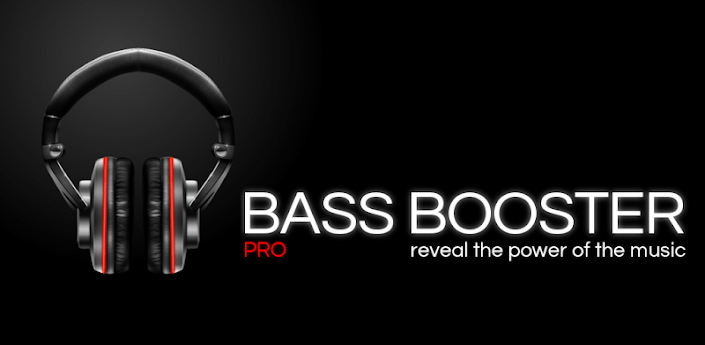
Bass Booster Pro


 Download


Please try the free version first to see if it works.
Bass Booster Pro is a standalone app, so you should uninstall the free version to avoid conflicts.
The Pro features of Bass Booster include :
- Unlimited custom presets
- Homescreen widget (2x1)
- Homescreen shortcut (see below)
- Virtualizer
- Start on phone boot
- Preset auto-detection (see below)
- Automatic preset on incoming call/SMS or during phone conversations
- 4 themes
- Music visualizer
- Reverb (in Beta ! It doesn't work on most phones, so it might be removed)
- 20 built-in presets : More Basses, Improve quality, Electro, Techno, Dubstep, Dance, Pop, Rock, Metal, Reggae, Rap, R&B, Hip-Hop, Jazz, Latino, Acoustic, Classical, Party, Voice Boost, Volume Boost. (included in the free version)

Homescreen Shortcut :
This feature allows you to create a 1x1 homescreen shortcut that'll change Bass Booster settings in one click without even opening the app ! (see screenshots)

Preset auto-detection :
This feature allows presets to be automatically adjusted according to the music that is being played. Let's say that you're listening to some Alternative Rock music, by default, Bass Booster will automatically choose the Rock preset, but if you create a custom "Rock" preset, yours will be selected.
But it goes even further ! For example, you could create a "Punk Rock" preset and a "Hard Rock" preset and they would be automatically selected. (Android 2.3.3+)
You can also create a preset specifically for a song, album or artist and it will be auto-detected next time you play a matching song. This is very useful for volume normalization among others.
Auto-detection requires to use :
- A compatible player
- Locally stored and tagged audio files
Players that support auto-detection :
- The stock player by Google
- Google Play Music
- Player Pro (recommended)
- JetAudio Player
- RealPlayer
- Poweramp
- Rocket Music Player
- NRG Player
- Music Folder Player
- MortPlayer
- TTPod Music Mod
- Meridian
- ³ (Cubed)
- DoubleTwist (enable Last.FM scrobbling in DoubleTwist)
- Winamp (enable Scrobbling and install the Last.FM app).
This list is not complete : other media players may work.
If your player doesn't work, try to enable Last.FM Scrobbling in the settings of your media player. For Winamp and some others players, you have to install Last.FM. It it still doesn't work, drop us a mail and we'll see if support can be added

Permissions :
- Receive messages : To automatically set a preset if there's an incoming SMS.
- Read phone state : To automatically set a preset if there's an incoming call.
- Read external storage : Needed for preset auto-detection on some devices

Disclaimer :
We are not responsible for anything that might happen to your phone, your audio device or yourself ! Do not listen at full volume or with bass boost for too long. This app can damage your devices or hearing. Use it wisely !
By downloading this application, you accept that in no case we could be held responsible for any kind of damage resulting of the use of this app in any way.
This software is provided by the copyright holders and contributors "as is" and any express or implied warranties, including, but not limited to, the implied warranties of merchantability and fitness for a particular purpose are disclaimed. In no event shall the copyright owner or contributors be liable for any direct, indirect, incidental, special, exemplary, or consequential damages (including, but not limited to, procurement of substitute goods or services; loss of use, data, or profits; or business interruption) however caused and on any theory of liability, whether in contract, strict liability, or tort (including negligence or otherwise) arising in any way out of the use of this software, even if advised of the possibility of such damage.

Folder Organizer (3.6.6) | Free Android Apps


Download


Group items according to labels and create fully customizable folders and widgets. You can organize apps, bookmarks, contacts and shortcuts
+ Change folder icon, icon pack support
+ Sort folder items any way you like
+ Make app shortcuts with custom icons and names
+ IconFinder support: search for new icons on the web
+ Put items in notification bar
+ Scrollable widgets
Tutorials are available in official site www.folderorganizer.net
Permissions are needed to read contacts and bookmarks, create direct call shortcuts and download new icons.
Folder Organizer can't be moved to sd card because it contains widgets (see Android documentation for details).
Please restart your home replacement or your device if you see wrong icons on home after a version update

AVG Mobile AntiVirus Security PRO (3.2.3) | Free Android Apps


 Download


AVG Mobile AntiVirus Security PRO for Android™ is AVG’s premium, full featured app that helps protect your phone & tablet from viruses, malware, spyware & online exploitation in real-time.
Download NOW with just an easy 1-time payment!
Download AVG Mobile AntiVirus Security PRO today and:
■ Scan apps, settings, files, and media in real time
■ Enable finding/locating your lost or stolen phone via Google Maps™
■ Lock and wipe your device to protect your privacy
■ Kill tasks that slow your device
■ Browse the Web safely and securely
■ Monitor battery, storage and data package usage on your device
■ Filter & block unwanted calls and text messages (SMS)
In addition, when installing the premium app, you also get:
■ App Locker – set up a password to control access to certain apps and keep them secure at all times.
■ App Backup - backup apps from your device to your SD card so you can restore them whenever necessary.
AVG Mobile AntiVirus Security PRO also:
■ Defends against malicious apps, viruses, malware and spyware
■ Identifies unsecure device settings and advises on how to fix them
■ Helps ensure contacts, bookmarks and text messages are safe
■ Checks media files for malicious software and security threats
■ Guards you from phishing attacks
■ Can be scheduled to run daily, weekly, or on demand scans
App features:
AntiVirus:
■ Scan downloaded apps and files and remove malicious content
Anti-theft and Phone Location:
■ Locate a lost or stolen device and get help finding it via Google Maps™
■ Lock your device remotely via our Anti-Theft service or by sending it a text message to guard your private data
■ Set a lock screen message to help whoever finds your device contact you
■ Make your device ring even if it is on silent mode
Safe Web Surfing: * Applicable to Android's default browser
■ Search, shop and use social networks with peace of mind knowing your identity and personal data are protected from phishing and malware
■ Scan website addresses. When a suspicious URL address is detected, you will be redirected to a “Safe Page”
Performance:
Monitor Battery, Storage and Data Package to optimize your device’s performance.
■ Get notified when your battery is below the level you indicated and turn-off functions not in use in order to save power
■ Optimize internal and SD card storage to save storage space
■ Move apps or games between the SD Card and internal storage
■ Traffic monitor - keep track of your 3G /4G data plan usage by getting notifications when you are near to reaching your monthly data plan limit
Task killer:
■ Kill tasks that slow down or freeze up your device
Local wipe:
■ Ability to completely wipe contacts, text messages, photos, browser history, calendar, format SD card, or restore mobile device to factory settings
■ Manually select specific data & information you want deleted from your device such as synced email accounts, browser history & bookmarks using the Local Wipe advanced feature
Call and Message Blocker:
■ Protect yourself against spammers, hackers and scammers. Get warned about suspicious text messages, filter and block unwanted calls and messages.
App Locker:
■ Lock apps to protect your privacy and safety or lock your device settings to secure its configuration
App Backup:
■ Backup apps from your device to your SD card so you can restore them whenever necessary.